
SlideWords0.3.3 - Google Play
You'll be able to see results in few seconds.
Publisher Description

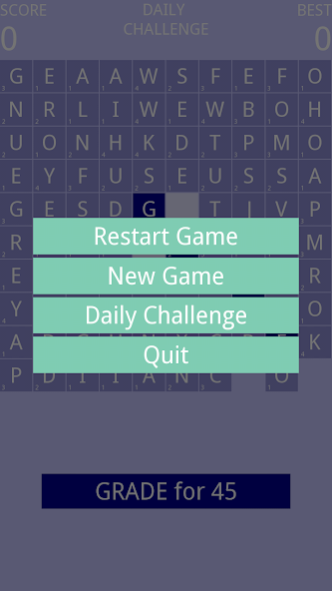
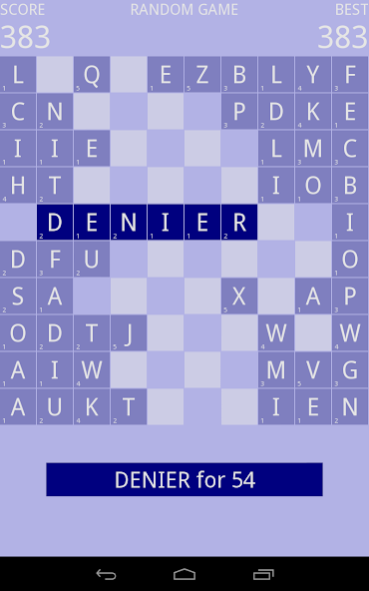
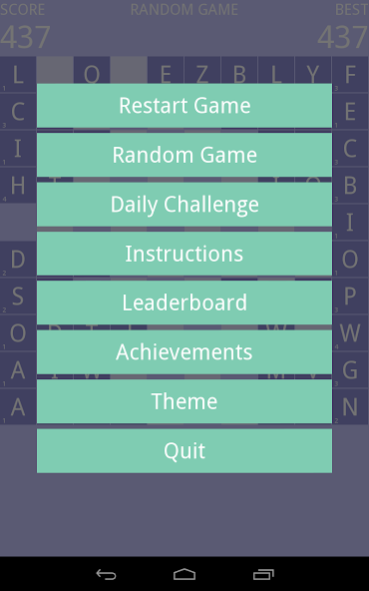
A challenging word search puzzle game. Ad and nag free!
Instructions
==========
Touch and slide letter tiles on the 10x10 board to form a valid word. A word is valid if:
* it is composed of connected letter tiles in a straight line (either vertically, horizontally or diagonally in either direction)
* it is in the dictionary
* and at least one tile was moved to form it.
When sliding a letter tile, it can only be moved once in a straight line (horizontal, diagonal, or vertical) and only through and into unoccupied spaces. When a valid word has been formed a prompt will appear at the bottom of the screen showing the points you will score for that word. Tap the prompt to score the word, which will then remove the selected tiles from the game. Each word scores points equal to the sum of the tile values multiplied by the number of letters in the word. Alternatively, cancel the selection by tapping on any of the selected tiles in the grid. Press the back button on your device to toggle the game menu.
The game features a daily challenge mode with a single randomly determined puzzle for each day in addition to the regular randomly determined puzzles. There are separate google play leaderboards for each game type (you must enable Google Play when prompted before you can access the leaderboards). The game also features achievements for various in-game milestones and local multiplayer options with computer AI opponents. More to come...
NOTE: This is a test release. The game may change significantly between versions, which may cause you to lose game related data including high scores.
About SlideWords
The company that develops SlideWords is dlmoore. The latest version released by its developer is 0.3.3.
To install SlideWords on your Android device, just click the green Continue To App button above to start the installation process. The app is listed on our website since 2016-07-24 and was downloaded 0 times. We have already checked if the download link is safe, however for your own protection we recommend that you scan the downloaded app with your antivirus. Your antivirus may detect the SlideWords as malware as malware if the download link to org.picty.slidewords is broken.
How to install SlideWords on your Android device:
- Click on the Continue To App button on our website. This will redirect you to Google Play.
- Once the SlideWords is shown in the Google Play listing of your Android device, you can start its download and installation. Tap on the Install button located below the search bar and to the right of the app icon.
- A pop-up window with the permissions required by SlideWords will be shown. Click on Accept to continue the process.
- SlideWords will be downloaded onto your device, displaying a progress. Once the download completes, the installation will start and you'll get a notification after the installation is finished.
Program Details
System requirements
Download information
Pricing
Version History
version 0.3.3
posted on 2016-07-24
v0.3.3
* Icon appears on lower right if you score 1,000 or more in a game (click it to open the leaderboard for 1,000+ scores).
* Various bugs squashed that should fix touch issues on some devices.
v0.3.2
* New leaderboard tracking the number of solo games where you have scored 1,000 or more.
* New leaderboard sub-menu so you can easily access all three leaderboards.
v0.3.1
* Minor bug fixes
Disclaimer
Official Google Play Link
We do not host SlideWords on our servers. We did not scan it for viruses, adware, spyware or other type of malware. This app is hosted by Google and passed their terms and conditions to be listed there. We recommend caution when installing it.
The Google Play link for SlideWords is provided to you by apps112.com without any warranties, representations or guarantees of any kind, so access it at your own risk.
If you have questions regarding this particular app contact the publisher directly. For questions about the functionalities of apps112.com contact us.
